🟢 What is Node.js?
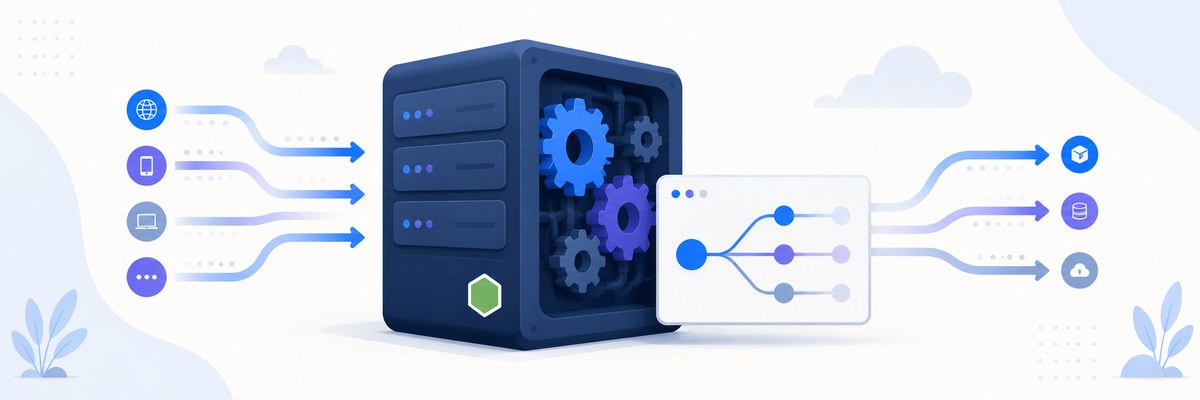
For six weeks JavaScript has lived inside the browser, painting pixels and reacting to clicks. This week it breaks out. Node.js takes the very same language you already know and runs it on a server — so the code that validates a form and the code that saves it to a database can finally speak the same tongue.
Week 7 · Day 1 (Monday: Node.js Fundamentals) · Lecture 1
🎯 Learning Objectives
By the end of this lesson, you will be able to:
- Explain what Node.js is and how it runs JavaScript outside the browser using the V8 engine
- Describe the problem Node.js was built to solve and why non-blocking I/O matters
- Contrast the runtime capabilities of browser JavaScript and Node.js
- Install Node.js, verify it from the terminal, and run your first script
- Read command-line arguments and build a bare-bones HTTP server
- Decide when Node.js is (and is not) the right tool for a job
Estimated Time: 60 minutes
Practice: Install Node, run a greeting script that reads your name from the command line, and serve a tiny web page from your own server.
In This Lesson
What Node.js Really Is
A web browser has a secret engine inside it that reads your JavaScript and turns it into instructions the computer can run. In Chrome that engine is called V8. In 2009 a developer named Ryan Dahl had a simple but radical idea: what if you pulled V8 out of the browser and wrapped it in a program that could talk to files, networks, and the operating system? That program is Node.js.
💡 Definition
Node.js is an open-source, cross-platform JavaScript runtime built on Chrome's V8 engine. It lets you run JavaScript outside the browser — on servers, laptops, build machines, even tiny IoT devices.
The word "runtime" trips people up. It just means "the environment your code runs in, plus the extra abilities that environment hands you." The browser's runtime gives JavaScript the DOM and fetch. Node's runtime gives JavaScript the file system, raw network sockets, and the ability to spawn other programs — the toolkit a server needs.
The Problem Node.js Solves
Before Node, most web servers handled each visitor with a dedicated thread — a worker who stays glued to one request from start to finish. That works fine until thousands of people arrive at once, most of them just waiting: waiting for a database, waiting for a file to load, waiting for another API. Threads sitting idle still consume memory. Scale up and you drown in overhead.
Node took a different bet: one main thread, never allowed to sit and wait. When a slow operation starts (read a file, query a database), Node hands it off and immediately moves on to the next request. When the slow thing finishes, a callback is queued and run. This is event-driven, non-blocking I/O, and it lets a single Node process juggle tens of thousands of connections.
💬 Ryan Dahl's original pitch: Node was built to solve the I/O-scaling problem with an event-driven, non-blocking model that handles thousands of concurrent connections with minimal overhead.
🍽️ The Restaurant Analogy
Picture one extremely efficient waiter (the single main thread):
- A traditional multi-threaded server hires one waiter per table — expensive, and most stand around waiting for the kitchen.
- Node runs one waiter who takes a table's order, fires it to the kitchen, and immediately moves to the next table instead of standing there.
- When a dish is ready, the kitchen (the event loop plus a background thread pool) rings a bell, and the waiter delivers it.
- One nimble waiter serves a whole room — because nobody blocks anyone else while the kitchen cooks.
You'll meet that "kitchen" — the event loop and libuv thread pool — in detail in the very next lesson.
A quick history
| Year | Milestone |
|---|---|
| 2009 | Ryan Dahl releases Node.js |
| 2010 | npm launches — the package manager that fueled the ecosystem |
| 2015 | The io.js fork re-merges; the Node.js Foundation forms for stable governance |
| 2019 | OpenJS Foundation stewards Node alongside other JS projects |
| Today | Powers backends at Netflix, PayPal, Uber, LinkedIn, NASA, and countless startups |
Key Features
Asynchronous & event-driven
Node's built-in APIs are non-blocking by default. You start an operation and give Node a callback (or a promise) to run later; Node never freezes waiting for the result.
Single-threaded, yet highly scalable
Your JavaScript runs on one thread, so you rarely worry about locks or race conditions. The event loop, backed by a small pool of background threads, delivers concurrency without the cost of a thread-per-request model.
Fast execution via V8
V8 compiles JavaScript straight to optimized machine code — no slow line-by-line interpretation — which is why Node is quick for I/O-heavy workloads.
Cross-platform & batteries included
The same code runs on Windows, macOS, and Linux. Core modules (fs, http, path, os, events) ship in the box, and npm — the largest open-source registry in the world — supplies almost everything else.
✅ One language, whole stack
Because Node speaks JavaScript, the skills you built in weeks 1–6 carry straight over. No context-switch to Python or Java on the backend — just the same syntax, closures, promises, and modules you already own.
Node.js vs Browser JavaScript
The language is identical, but the surroundings differ. There is no window, no DOM, and no document in Node — instead you get global, process, and direct access to the machine.
| Capability | Browser | Node.js |
|---|---|---|
DOM & window | ✅ Yes | ❌ No |
| File system access | ❌ Sandboxed | ✅ Full |
| Network access | Limited by CORS | Unrestricted |
| Process / OS control | ❌ No | ✅ process, os |
| Global object | window | global / globalThis |
| Modules | ES Modules | ES Modules and CommonJS |
⚠️ CommonJS vs ES Modules
You'll see two import styles in Node code. CommonJS uses const fs = require('fs') and has been Node's default for years. ES Modules (ESM) use import fs from 'node:fs' and are the modern standard — enable them with "type": "module" in package.json or a .mjs file. This lesson shows CommonJS because it's still the most common in tutorials, but we'll flag ESM equivalents as we go. The node: prefix (e.g. require('node:fs')) is the recommended modern way to make it obvious you mean a built-in module.
Installing & Your First Program
1. Install the LTS build
Download the LTS (Long-Term Support) version from nodejs.org. LTS releases get bug fixes for years and are the safe choice for real projects.
2. Verify it works
node -v   # e.g. v22.11.0
npm -v    # e.g. 10.9.0
Two version numbers means Node and npm are both installed and on your PATH.
3. Run your first script
Create hello.js:
// hello.js — your first server-side JavaScript

console.log('Hello, World!');

// process.argv holds the command-line arguments.
// Index 0 = path to node, 1 = path to script, 2+ = your args.
const name = process.argv[2] || 'World';
console.log(`Hello, ${name}!`);

console.log(`The current time is: ${new Date().toLocaleTimeString()}`);
Run it:
node hello.js
node hello.js Ada
Output
$ node hello.js
Hello, World!
Hello, World!
The current time is: 9:42:15 AM

$ node hello.js Ada
Hello, World!
Hello, Ada!
The current time is: 9:42:31 AM
4. Serve a web page from your own server
This is the moment Node clicks — JavaScript answering real HTTP requests:
// server.js
const http = require('node:http');

const server = http.createServer((req, res) => {
    res.statusCode = 200;
    res.setHeader('Content-Type', 'text/html');
    res.end(`
        <!DOCTYPE html>
        <html>
          <head><title>My First Node Server</title></head>
          <body>
            <h1>Hello from Node.js!</h1>
            <p>Served at ${new Date().toLocaleString()}</p>
          </body>
        </html>
    `);
});

const PORT = 3000;
server.listen(PORT, () => {
    console.log(`Server running at http://localhost:${PORT}/`);
});
Run node server.js, open http://localhost:3000, and your browser is talking to a server you wrote in JavaScript. In the next few lessons Express will make this far cleaner — but it's all built on exactly this.
When to Reach for Node
Node is a specialist, not a silver bullet. It shines when your program spends most of its time waiting on I/O, and struggles when it needs to crunch numbers non-stop.
✅ Great fits
- REST APIs and microservices
- Real-time apps: chat, live dashboards, collaborative editors
- Streaming media and data
- Backends for single-page apps and mobile clients
- Command-line tools and build tooling
⚠️ Poor fits (or handle with care)
- Heavy CPU-bound work (video encoding, large-scale image processing) — a long computation blocks the single thread. Offload it to Worker Threads or a separate service.
- Anything where a synchronous, thread-per-request model is genuinely simpler and traffic is low.
The takeaway: Node handles concurrency beautifully as long as no single task hogs the thread. Keep the main thread free and it will happily serve thousands at once.
Practice & Quiz
🏋️ Exercise 1: A friendly greeter
Goal: Write greet.js that greets a name passed on the command line, and falls back to "friend" if none is given. Bonus: if the name is "admin", print a special line.
// greet.js
// Run as:  node greet.js Grace
// TODO: read the name from process.argv and print a greeting
💡 Hint
The first real argument is process.argv[2]. Use || to supply the "friend" default, then an if to check for "admin".
✅ Solution
// greet.js
const name = process.argv[2] || 'friend';

if (name.toLowerCase() === 'admin') {
    console.log('Welcome back, administrator. 🔑');
} else {
    console.log(`Hello, ${name}! Welcome to Node.js.`);
}
Try node greet.js Grace, then node greet.js admin, then node greet.js with no argument.
🏋️ Exercise 2: Serve two routes
Goal: Extend the server.js above so / returns a welcome message and /about returns an "about" line. Anything else returns a 404.
✅ Solution
const http = require('node:http');

const server = http.createServer((req, res) => {
    res.setHeader('Content-Type', 'text/html');

    if (req.url === '/') {
        res.statusCode = 200;
        res.end('<h1>Welcome!</h1>');
    } else if (req.url === '/about') {
        res.statusCode = 200;
        res.end('<h1>About</h1><p>A tiny Node server.</p>');
    } else {
        res.statusCode = 404;
        res.end('<h1>404 — Not Found</h1>');
    }
});

server.listen(3000, () => console.log('http://localhost:3000/'));
This hand-rolled routing is exactly the pain Express removes — you'll appreciate it soon.
🎯 Quick Quiz
Question 1: What is Node.js best described as?
Question 2: Why can a single-threaded Node process handle thousands of connections?
Question 3: Which is a poor fit for Node's strengths?
Best Practices & Pitfalls
✅ Do
- Install the LTS release for anything you intend to keep running
- Prefer asynchronous APIs so you never freeze the event loop
- Use the
node:prefix for core modules (require('node:fs')) to make intent clear - Keep CPU-heavy work off the main thread — reach for Worker Threads
❌ Don't
- Reach for
window,document, or the DOM — they don't exist in Node - Assume synchronous
*Syncfunctions are fine in a server — they block every other request - Confuse Node (the runtime) with Express (a framework that runs on it)
⚠️ The Sync trap
const fs = require('node:fs');

// ❌ In a server, this freezes EVERY request until the disk responds:
const data = fs.readFileSync('big.txt', 'utf8');

// ✅ Non-blocking — other requests keep flowing while the disk works:
fs.readFile('big.txt', 'utf8', (err, data) => {
    if (err) throw err;
    console.log(data.length);
});
Synchronous methods are convenient in a one-off script but poison in a server handling many users at once.
Summary
🎉 Key Takeaways
- Node.js is a runtime — V8 plus server-side APIs — that runs JavaScript outside the browser
- It was built to solve I/O scaling with event-driven, non-blocking concurrency on a single thread
- Node swaps the DOM and
windowforfs,http,process, and friends - It excels at I/O-heavy work and struggles with long CPU-bound tasks
- You write it in the same JavaScript you already know — one language across the whole stack
📚 Additional Resources
- Node.js — Introduction to Node.js
- Node.js — Official API Documentation
- Node.js — Download the LTS release
🚀 What's Next?
You know what Node is and why it exists. Next we open the hood: how the event loop and the libuv thread pool actually deliver that non-blocking magic, phase by phase — in Node.js Architecture and the Event Loop.
🎉 Welcome to the backend!
Your JavaScript just left the browser. Everything you build this week rests on the runtime you met today.