🗄️ Relational vs NoSQL Databases
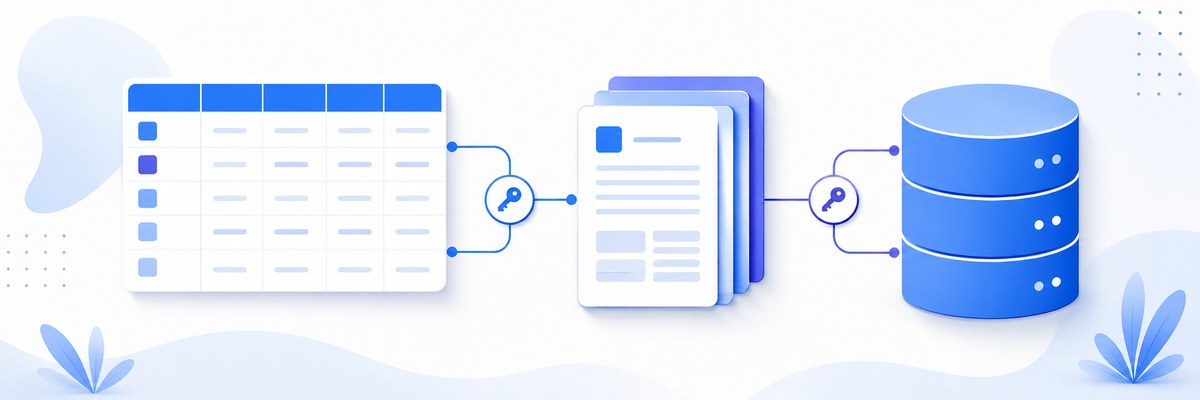
Every application you've built so far kept its data in memory — the moment the server restarted, everything vanished. A database is how software remembers things permanently. This lesson introduces the two great families of databases, so that when you sit down to build a real app you can choose the right tool instead of the fashionable one.
Week 8 · Day 1 (Monday: Introduction to Databases) · Lecture 1
🎯 Learning Objectives
By the end of this lesson, you will be able to:
- Explain what a database is and why every real application needs one
- Describe how relational databases model data as tables, rows, and schema
- Define ACID and contrast it with the BASE model used by many NoSQL systems
- Identify the four families of NoSQL databases and a use case for each
- Compare vertical and horizontal scaling and connect them to database choice
- Apply a decision framework to pick relational, NoSQL, or both for a given app
Estimated Time: 55 minutes
Practice: Model the same blog data two ways — relational tables and a NoSQL document — then justify a database choice for three scenarios.
In This Lesson
What Is a Database?
A database is an organized collection of data plus the software that lets you store, retrieve, and update it reliably. That software is called a Database Management System (DBMS) — PostgreSQL and MongoDB are both DBMSs.
Think of a library. Without the Dewey Decimal System, a million books would be an unsearchable pile. The cataloguing system is what turns that pile into something you can query: "find every book by this author, published after 2020." A database does exactly this for your application's data, at a scale and speed a filing cabinet never could.
Your application never touches the raw files on disk. It sends requests to the DBMS, which handles the hard parts — concurrent access, crash recovery, indexing, permissions — and hands back exactly the data you asked for. From the moment we add a database, our app can survive restarts, serve many users at once, and answer questions about millions of records in milliseconds.
Databases split into two broad paradigms, each with a different philosophy about how data should be shaped:
- Relational (SQL) — data lives in strict tables with predefined columns; relationships are first-class.
- NoSQL ("Not Only SQL") — a family of systems that relax the table structure to gain flexibility and horizontal scale.
Relational Databases (SQL)
Relational databases, invented at IBM in the 1970s, organize data into tables (also called relations). A table is a grid: each row is one record, each column is one attribute. Before you store anything, you declare a schema — the exact columns and their types — and every row must obey it.
role_id column in users points at the id of a row in roles. Store each fact once; link to it with keys.The vocabulary of relational data
- Primary key — a column (often
id) that uniquely identifies each row. - Foreign key — a column that references a primary key in another table, creating a relationship.
- Schema — the fixed definition of tables, columns, and types, declared up front.
- Join — an operation that combines rows from related tables into one result.
- Normalization — organizing data so each fact is stored exactly once (covered in depth two lessons from now).
Popular relational systems
| RDBMS | Best known for |
|---|---|
| PostgreSQL | Open-source, standards-compliant, rich features — our choice this week |
| MySQL / MariaDB | Ubiquitous open-source database behind much of the web |
| SQLite | A whole database in a single file — perfect for tests and small apps |
| SQL Server / Oracle | Enterprise-grade commercial systems |
What relational code looks like
You define structure with SQL, then query across relationships with a JOIN:
-- Two tables linked by a foreign key
CREATE TABLE users (
    id         SERIAL PRIMARY KEY,          -- auto-incrementing unique id
    username   VARCHAR(50)  UNIQUE NOT NULL,
    email      VARCHAR(100) UNIQUE NOT NULL,
    created_at TIMESTAMP    DEFAULT CURRENT_TIMESTAMP
);

CREATE TABLE posts (
    id           SERIAL PRIMARY KEY,
    user_id      INTEGER REFERENCES users(id),  -- foreign key -> users.id
    title        VARCHAR(200) NOT NULL,
    published_at TIMESTAMP
);

-- Combine the two tables to answer one question
SELECT users.username, posts.title
FROM users
JOIN posts ON users.id = posts.user_id
WHERE posts.published_at > '2024-01-01';
Result
username | title
---------+------------------------
 ada     | Learning SQL
 grace   | Foreign keys explained
✅ Why relationships matter
Because the user's email lives in one place (the users table), changing it updates it everywhere at once. There is no risk of some posts showing the old address. This "store it once" guarantee is the superpower of relational design.
ACID: The Reliability Promise
Relational databases are trusted with money, medical records, and airline seats because they guarantee ACID transactions. A transaction is a group of operations treated as one indivisible unit.
| Letter | Meaning | In plain English |
|---|---|---|
| Atomicity | All or nothing | Either every step succeeds, or the whole transaction is rolled back — no half-finished states |
| Consistency | Rules always hold | The database moves from one valid state to another; constraints are never violated |
| Isolation | No cross-talk | Concurrent transactions don't see each other's half-done work |
| Durability | Survives crashes | Once committed, the data stays saved even if the power dies a millisecond later |
The classic example is a bank transfer. Moving $100 from account A to account B is really two steps: debit A, credit B. Atomicity guarantees you can never lose the money in between — if the credit fails, the debit is undone too.
BEGIN;                                       -- start the transaction
  UPDATE accounts SET balance = balance - 100 WHERE id = 'A';
  UPDATE accounts SET balance = balance + 100 WHERE id = 'B';
COMMIT;                                       -- both succeed together, or ROLLBACK undoes both
NoSQL Databases
NoSQL means "Not Only SQL." These systems arose in the 2000s when web giants hit the limits of fitting one enormous relational database on one very large server. NoSQL databases trade some of the rigid structure and strong guarantees of relational systems for flexible schemas and the ability to scale horizontally — spreading data across many cheap servers.
ACID's relaxed cousin: BASE
Where relational systems chase ACID, many distributed NoSQL systems follow BASE: Basically Available, Soft state, Eventual consistency. The idea: stay fast and available even under network trouble, and let all copies of the data converge to the same value shortly after a write rather than instantly.
💡 Eventual consistency, concretely
You update your profile photo. For a second or two, a friend on the other side of the world might still see the old one while the change propagates across data centers. For a social feed that's perfectly fine. For your bank balance, it is not — which is exactly why the two paradigms exist.
The four families of NoSQL
1. Document stores
Store data as flexible, JSON-like documents. Each document is self-contained and two documents in the same collection need not have identical fields. This maps beautifully to JavaScript objects.
// A MongoDB document — note the nested profile and array of posts
{
  "_id": ObjectId("5f8d5f"),
  "username": "ada",
  "email": "ada@example.com",
  "profile": {
    "age": 28,
    "interests": ["coding", "hiking"]
  },
  "posts": [
    { "title": "My first post", "likes": 12 },
    { "title": "Learning NoSQL", "likes": 34 }
  ]
}
Great for: content management, product catalogs, user profiles — anything whose shape varies or evolves. Examples: MongoDB, CouchDB, Firestore.
2. Key-value stores
The simplest model: a giant dictionary of key → value. Blazingly fast for lookups by key, but you can't query the values themselves.
// Redis: store a session, read it back, expire it in 1 hour
SET session:abc123 '{"userId":42,"role":"admin"}'
GET session:abc123
EXPIRE session:abc123 3600
Great for: caching, session storage, real-time leaderboards. Examples: Redis, Amazon DynamoDB, Memcached.
3. Wide-column stores
Store data in tables, but each row can have different columns, and columns are grouped into families optimized for huge write volumes across many machines.
Great for: time-series data, IoT sensor streams, event logging at massive scale. Examples: Apache Cassandra, HBase, ScyllaDB.
4. Graph databases
Model data as nodes connected by edges, making relationship-heavy queries ("friends of friends who like hiking") fast and natural.
// Neo4j Cypher: who are Ada's friends?
MATCH (u:Person {name: 'Ada'})-[:FRIENDS_WITH]->(friend)
RETURN friend.name
Great for: social networks, recommendation engines, fraud detection. Examples: Neo4j, Amazon Neptune, ArangoDB.
Same Data, Two Shapes
The clearest way to feel the difference is to model the same information both ways. Here is one blog user who wrote two posts.
Neither is "better." The relational version makes it trivial to ask "how many posts total across all users?" and guarantees a post can't reference a user who doesn't exist. The document version fetches a user and all their posts in a single, fast read — no join required — but duplicates structure and makes cross-user queries harder.
Choosing Between Them
| Factor | Relational (SQL) | NoSQL |
|---|---|---|
| Data structure | Tables with fixed columns | Documents, key-value, wide-column, or graph |
| Schema | Fixed, defined up front | Flexible, can vary per record |
| Scaling | Vertical (a bigger server) | Horizontal (more servers) |
| Consistency | ACID — strong, immediate | Often BASE — eventual |
| Relationships | Joins on foreign keys | Embedding or manual references |
| Query language | SQL (standardized) | Varies by database |
Vertical vs horizontal scaling
When one server can't keep up, you have two options. Vertical scaling ("scale up") means buying a beefier machine — more CPU, more RAM. It's simple but has a ceiling and gets expensive fast. Horizontal scaling ("scale out") means adding more ordinary machines and spreading the data across them. NoSQL systems were built for this; classic relational databases find it harder because joins and ACID guarantees are tricky across many machines.
✅ Reach for relational when…
- Data has clear, stable relationships (users, orders, products)
- You need complex queries and multi-step transactions
- Correctness is non-negotiable — money, inventory, bookings
- You want one standardized query language across the team
💜 Reach for NoSQL when…
- Your data is unstructured or its shape changes often
- You need to ingest huge write volumes or scale to many servers
- Access patterns are simple and known ahead of time (fetch by key, fetch a document)
- You're caching, storing sessions, or modeling a network of connections
💡 Default advice: For most web apps you're learning to build, start with a relational database like PostgreSQL. It's flexible enough for the vast majority of projects, and its guarantees save you from a category of bugs you don't want to debug. Add NoSQL when a specific need appears.
Polyglot Persistence
Real production systems rarely pick just one. Polyglot persistence means using the right database for each job within a single application. Netflix, Airbnb, and Uber all mix several.
Orders go in PostgreSQL because money demands ACID. The flexible product catalog fits a document store. Sessions live in Redis for speed. "Customers who bought this also bought…" is a graph problem. Each database earns its place by doing one thing exceptionally well.
Practice & Quiz
🏋️ Exercise 1: Choose the database
Goal: For each scenario, decide relational or NoSQL (and which NoSQL family if so), and justify it in one sentence.
- A bank that processes account transfers
- A cache that stores the result of an expensive computation, looked up by a string key
- A blog CMS whose article structure keeps changing as editors add fields
- A "people you may know" feature on a social network
- An IoT platform ingesting millions of temperature readings per minute
💡 Hint
Ask two questions for each: does correctness require ACID transactions, and is the access pattern "by key," "by document," "by relationship," or "complex queries and joins"?
✅ Solution
- Relational. Transfers need ACID atomicity so money is never lost mid-transfer.
- NoSQL — key-value (Redis). Pure lookup by key, must be fast, no need to query the values.
- NoSQL — document (MongoDB). Flexible schema absorbs new fields without migrations.
- NoSQL — graph (Neo4j). "Friends of friends" is a relationship traversal, graphs' specialty.
- NoSQL — wide-column (Cassandra). Built for enormous, fast, append-heavy writes across many servers.
🏋️ Exercise 2: Model it both ways
Goal: A recipe has a title, a list of ingredients, and an author. Sketch (a) a relational design with tables and keys, and (b) an equivalent MongoDB document.
✅ Solution
Relational — three tables so ingredients and authors aren't duplicated:
CREATE TABLE authors (
    id   SERIAL PRIMARY KEY,
    name VARCHAR(100) NOT NULL
);
CREATE TABLE recipes (
    id        SERIAL PRIMARY KEY,
    title     VARCHAR(200) NOT NULL,
    author_id INTEGER REFERENCES authors(id)
);
CREATE TABLE ingredients (
    id        SERIAL PRIMARY KEY,
    recipe_id INTEGER REFERENCES recipes(id),
    name      VARCHAR(100),
    amount    VARCHAR(50)
);
Document — everything nested in one recipe:
{
  "title": "Adobo",
  "author": { "name": "Ray" },
  "ingredients": [
    { "name": "chicken", "amount": "1 kg" },
    { "name": "soy sauce", "amount": "1/2 cup" },
    { "name": "vinegar", "amount": "1/2 cup" }
  ]
}
Trade-off: the document reads in one shot, but if two recipes share an author and the author's name changes, you must update every document. Relational updates the one authors row.
🎯 Quick Quiz
Question 1: What does the "A" in ACID guarantee?
Question 2: Which NoSQL family best fits caching session data looked up by a single key?
Question 3: "Scaling out by adding more ordinary servers" describes which approach?
Best Practices & Pitfalls
✅ Do
- Start with a relational database unless you have a concrete reason not to
- Let the app's access patterns and consistency needs drive the choice, not hype
- Use ACID transactions whenever data must stay correct together (transfers, inventory)
- Mix databases deliberately (polyglot persistence) when one job genuinely needs a different tool
❌ Don't
- Pick NoSQL just because it sounds modern — "schemaless" still needs a thought-out data model
- Assume NoSQL means "no rules" — you still design for how you'll read the data
- Expect eventual-consistency systems to behave like a bank ledger
- Bolt on a second database before a single well-designed one has actually hit a wall
⚠️ "NoSQL scales better" is only half true
NoSQL scales writes across servers more easily, but you pay in weaker guarantees and harder cross-record queries. Modern PostgreSQL scales to enormous workloads too. Choose for your data's shape and rules, not a benchmark headline.
Summary
🎉 Key Takeaways
- A database lets your app store data permanently and query it reliably at scale
- Relational databases use fixed tables, foreign keys, joins, and ACID transactions
- NoSQL trades rigid schema for flexibility and horizontal scale, often under the BASE model
- The four NoSQL families are document, key-value, wide-column, and graph
- Choose by your data's shape and consistency needs — and real apps often use several databases together
📚 Additional Resources
🚀 What's Next?
You now know which kind of database to reach for. Next we learn to actually talk to a relational one: SQL Basics — creating tables, and writing SELECT, INSERT, UPDATE, and DELETE to command your data.
🎉 Great start to Week 8!
Data persistence is the backbone of every real application. You've just learned how to think about where it lives.