📦 Container Concepts
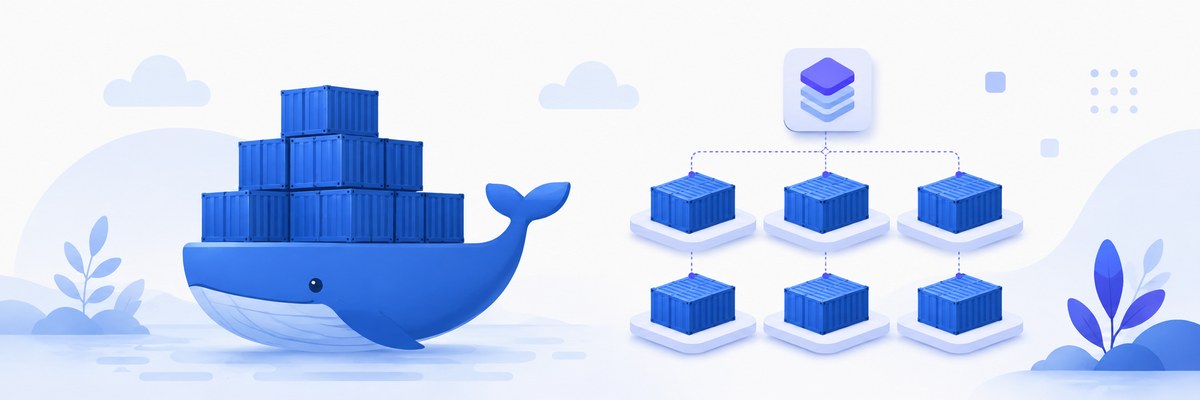
You finished a feature on your laptop, pushed it, and a teammate replied "it crashes on my machine." That gap — the same code behaving differently on different computers — is exactly the problem containers were invented to erase. In this lesson you'll learn what a container actually is, why it's lighter than a virtual machine, and the image-and-layer machinery that makes it so fast.
Week 11 · Day 1 (Monday: Docker Fundamentals) · Lecture 1
🎯 Learning Objectives
By the end of this lesson, you will be able to:
- Explain what a container is and the "works on my machine" problem it solves
- Contrast containers with virtual machines and say why containers are lighter
- Describe the three Linux kernel features (namespaces, cgroups, union filesystems) that make containers possible
- Distinguish a container image from a running container and explain image layers
- Identify where registries, runtimes, and engines like Docker sit in the ecosystem
- List the concrete benefits containers bring to a full-stack JavaScript workflow
Estimated Time: 55 minutes
Practice: Sketch the layer stack for a Node.js image and reason about what changes when you edit one line of code.
In This Lesson
What Is a Container?
A container is a standardized, isolated package that holds your application and everything it needs to run — the code, the runtime (say, Node.js), the libraries, and the configuration — bundled so it behaves identically no matter which computer starts it. Instead of shipping code and hoping the target machine happens to have the right Node version and system libraries, you ship the whole environment.
Here's the moving-house analogy. You could carry every belonging loose into the truck, wedge it in, and unload it piece by piece at the other end — slow, and things break in transit. Or you could use a standard shipping container: pack once, and it slots onto a truck, a train, or a ship without anyone repacking it. Software containers are the shipping container for code — pack the app once, and it runs the same on your laptop, a teammate's machine, the CI server, and production.
That last box is the whole point. The dreaded "it works on my machine" bug usually comes from environment drift — a different Node version, a missing system package, an env variable set on one box but not another. A container carries its environment with it, so the machine underneath stops mattering.
Containers vs. Virtual Machines
Containers aren't the first tool to isolate applications — virtual machines (VMs) have done it for decades. The critical difference is what each one virtualizes, and that single distinction explains why containers are so much lighter.
A VM virtualizes hardware. A piece of software called a hypervisor carves the physical machine into virtual machines, and each VM boots its own complete guest operating system — its own kernel, its own drivers, gigabytes of it. A container virtualizes at the operating-system level instead: every container on a host shares that host's single kernel and only packages what sits above it. No guest OS per app, so a container is measured in megabytes and starts in a second or two, while a VM is measured in gigabytes and boots in minutes.
| Aspect | Virtual Machines | Containers |
|---|---|---|
| What's virtualized | Hardware (via a hypervisor) | The operating system |
| Operating system | Full guest OS per VM | Share the host kernel |
| Size | Gigabytes | Megabytes |
| Startup time | Minutes | Seconds |
| Isolation | Strong (hardware boundary) | Process-level (kernel boundary) |
| Density per host | A handful | Dozens to hundreds |
💡 An apartment vs. a co-living room
A VM is like renting a whole apartment: your own kitchen, plumbing, and heating (a full OS) — comfortable but heavy. A container is like a private room in a co-living space: the building's core systems (the kernel) are shared, but your room and your stuff stay isolated from everyone else's. You get most of the isolation for a fraction of the overhead.
⚠️ Sharing the kernel is a trade-off
Because containers share the host kernel, isolation is strong but not absolute — a kernel-level vulnerability can, in theory, cross the boundary in ways a hardware-virtualized VM would contain. That's why "use minimal images and don't run as root" (later in this lesson) genuinely matters. It also means Linux containers need a Linux kernel — which is why Docker Desktop on Windows/macOS quietly runs one inside a lightweight VM.
How Containers Work
A container isn't magic and it isn't a mini-VM. It's an ordinary process on the host, wrapped in three long-standing Linux kernel features that together make it feel like it has a machine to itself.
what a process can see"] --> D["An Isolated Container"] B["Control Groups
how much it can use"] --> D C["Union Filesystem
layered, efficient storage"] --> D
- Namespaces control what a process can see. Each container gets its own namespaces for process IDs, network interfaces, mount points, and hostnames — so inside the container, its main process looks like PID 1 on a machine of its own, blind to everything else on the host.
- Control groups (cgroups) control what a process can use. They cap and account for CPU, memory, and I/O per group of processes, so one greedy container can't starve its neighbors.
- Union filesystems control how a container's files are stored. They stack multiple read-only directories plus one writable layer and present them as a single filesystem — the trick that makes image layers (next section) cheap.
📖 Three analogies for the three features
Namespaces are the one-way mirror around your room — you see out, neighbors can't see in. cgroups are the metered utilities — each room has a capped electricity and water allowance. Union filesystems are like the layers in a photo editor — each change is a new transparent sheet over the original, and the sheets can be shared.
Images vs. Containers
These two words get used loosely, but the distinction is the single most important idea in this lesson.
- A container image is a read-only, standalone package with everything needed to run the software: code, runtime, libraries, env vars, config. It's the blueprint. It just sits there.
- A container is a running instance of an image — with its own writable layer, its own process space, alive and doing work.
The relationship is exactly like a program and a process: one program file on disk (the image) can be launched into many running processes (containers). Or, if you like the kitchen: one recipe (image) can bake many cakes (containers), each a separate thing you can eat independently.
read-only blueprint"] --> B["Container 1
running"] A --> C["Container 2
running"] A --> D["Container 3
running"]
This one-to-many relationship is why containers scale so well. Need to handle triple the traffic? Start three containers from the same image — no reinstalling, no reconfiguring, because the image already contains the fully-baked environment.
Image Layers & the Union Filesystem
An image is not one monolithic blob — it's a stack of layers, each one recording only the changes from the layer beneath it. When you build an image, each instruction (start from Node, install dependencies, copy your code) adds a new layer on top.
Two big wins come from layering:
- Sharing. Ten Node.js apps on your machine can all reference the same Node runtime layer instead of storing ten copies. Common layers are stored once.
- Caching. When you rebuild after changing one line of code, Docker reuses every unchanged layer from cache and only rebuilds the top layer. That's why the first build is slow and the next is nearly instant — and why the order of instructions in a Dockerfile matters (put rarely-changing steps first). You'll exploit this deliberately in the Dockerfile lessons ahead.
The burger analogy holds: the bun (base OS) sits on the bottom, then lettuce (runtime), cheese (dependencies), and the patty (your code) on top. Build a second burger and you reuse the same bun — no need to reinvent it.
Runtimes, Engines & Registries
A few terms get thrown around interchangeably but mean different things. Getting them straight now will make the next lesson (Docker's architecture) click.
Docker — the friendly tool"] B --> C["Container Runtime
containerd / runc — does the work"] C --> D["Linux Kernel
namespaces + cgroups"]
- A container runtime is the low-level software that actually creates and runs containers by talking to the kernel — for example
containerdandrunc. - A container engine is the higher-level, user-friendly tool built on top of a runtime. Docker is the most popular engine; it gives you the
dockercommand, image building, and more. - A registry is where images are stored and shared — think "GitHub for images." Docker Hub is the default public one; clouds offer private ones (Amazon ECR, Google Artifact Registry, GitHub Container Registry).
Car analogy: the runtime is the engine and drivetrain that actually move the car; the engine (confusing name, sorry — Docker) is the steering wheel and pedals that make it usable. The registry is the parking garage where finished cars are kept until someone needs one.
💡 The OCI keeps it all compatible
The Open Container Initiative (OCI) is an open standard for image formats and runtimes. It's why an image built with Docker can run on other OCI-compliant tools — the same reason standardized shipping-container dimensions let any crane, truck, or ship handle any container regardless of who built it.
Why Containers Matter
For a full-stack JavaScript developer, containers aren't an abstract DevOps concern — they change your daily workflow in concrete ways:
- Consistency. The same image runs on your laptop, your teammate's, CI, and production — killing "works on my machine" for good.
- Efficiency. Sharing the host kernel means far less overhead than VMs, so you can pack many services onto one machine.
- Fast startup & scaling. Containers boot in seconds, so scaling out under load is quick and cheap.
- Isolation. Each service runs in its own sandbox, so a crash or a bad dependency in one doesn't take down the others.
- Microservices-ready. You can develop, deploy, and scale each part of an app independently — the frontend, the API, the database — each in its own container.
✅ A concrete example
Say your app is a React frontend, an Express API, and a PostgreSQL database. With containers you run each as its own image, wire them together, and hand a teammate one command to bring the whole stack up on their machine — no "first install Postgres 15, then set these env vars…" README. That's the payoff you'll build toward this week with Docker Compose.
Practice & Quiz
🏋️ Exercise 1: Reason about layer caching
Goal: Predict how many layers Docker rebuilds. Given a Node.js image built in this order — (1) start from the base image, (2) copy package.json, (3) run npm install, (4) copy the rest of your source code — you change one line in a source file and rebuild. Which layers get rebuilt from cache, and which are recreated? Would the answer change if you had instead edited package.json?
💡 Hint
Docker reuses cached layers up to the first instruction whose inputs changed, then rebuilds that layer and everything above it. Layers are ordered bottom (least-changing) to top (most-changing).
✅ Solution
Editing a source file only invalidates step (4), the "copy source" layer. Steps 1–3 come straight from cache, so npm install does not re-run — a fast rebuild. This is precisely why we copy package.json and install dependencies before copying the rest of the code.
Editing package.json instead invalidates step (2) and therefore steps (3) and (4) as well — npm install re-runs. That's expected: your dependencies genuinely changed, so the dependency layer must be rebuilt.
🏋️ Exercise 2: Image or container?
Goal: Label each item as an image or a container: (a) the nginx:latest download sitting in your local cache; (b) the web server currently serving requests on port 8080; (c) a recipe for a cake; (d) three running copies of the same app handling traffic.
✅ Solution
(a) image — a read-only blueprint at rest. (b) container — a running instance doing work. (c) image — a recipe is a blueprint. (d) containers — three live instances launched from one image. Remember: image = program on disk, container = running process.
🎯 Quick Quiz
Question 1: What is the key reason a container is lighter than a virtual machine?
Question 2: Which statement correctly describes an image versus a container?
Question 3: Why does copying package.json and running npm install before copying your source code speed up rebuilds?
Best Practices & Pitfalls
✅ Do
- Use small base images (like
node:alpine) to shrink size and attack surface - Order Dockerfile steps least-changing first, so caching works for you
- Treat containers as disposable — rebuild rather than patch a running one
- Store persistent data (databases, uploads) in volumes, not inside the container
❌ Don't
- Confuse an image (blueprint at rest) with a container (running instance)
- Run containers as the root user when you don't have to
- Assume containers give VM-grade isolation — they share the host kernel
- Bake secrets or passwords into an image; use env vars or a secrets manager
⚠️ Containers are ephemeral by design
Anything written to a container's writable layer vanishes when the container is removed. That's a feature, not a bug — it keeps environments reproducible. For data that must survive (a database, user uploads), attach a volume. Design your app to be stateless wherever you can.
Summary
🎉 Key Takeaways
- A container packages an app with its runtime, libraries, and config so it runs identically everywhere
- Containers share the host kernel — lighter and faster than VMs, which virtualize hardware and boot a full guest OS each
- Isolation comes from three kernel features: namespaces (what you see), cgroups (what you use), and union filesystems (how files are layered)
- An image is a read-only blueprint; a container is a running instance of it — one image, many containers
- Images are built from cached, shareable layers; a registry stores and distributes them
📚 Additional Resources
- Docker Docs — What is Docker? (overview)
- Docker Docs — What is a container?
- Docker Docs — Understanding image layers
- Open Container Initiative (OCI)
🚀 What's Next?
You now know what a container is and why it's lightweight. Next we open the hood on the tool you'll actually use: Docker Architecture — the client, the daemon (dockerd), and the registry, and exactly how a docker run command travels through them.
🎉 Great start to Week 11!
The mental model you built here — image vs. container, shared kernel, layers — is the foundation every Docker command rests on.